The edge tool’s design is bad, and I’ll be reworking it before long. In the meantime, you’ll have to master its weird behavior if you’d like it to not feel finicky.
My guess is that the “snapping” is throwing you off, and making it feel finicky. First let’s look at what happens when your drawing (rather than erasing) with the edge tool:
If you click closer to the top or bottom edge of a cell, you will draw a horizontal line:

Whereas if you click closer to the left or right edge of a cell, you will draw a vertical line:
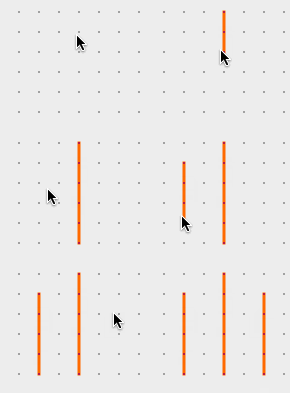
It’s pretty unintuitive, since no other drawing tool really behaves like this (snapping to a particular direction immediately when you begin drawing).
Now things get extra funky when you’re trying to delete edges, because there’s no visual indication of what direction you’re snapped to (ie: horizontally or vertically).
If you’re trying to delete an edge and you’re finding it’s not working, you’re probably deleting in the wrong direction (vertically rather than horiztonally, or vice versa).
I hope this helps you in the short term.
In the long-term, I’ll make changes to ensure that the edge tool behaves a lot more intuitively.